


What the budget buys
Voice-activated smart home solutions for aging in place span a wide price range, but the core tradeoff is always the same: convenience versus safety. At the lowest end, you get basic control. A $30 smart speaker lets you turn on lights or set medication reminders, which helps with daily routine but does little to prevent accidents. These devices are useful for reducing minor friction, like finding a light switch in the dark, but they don't monitor health or detect emergencies.
As you move into the $100–$300 range, the focus shifts to specialized safety hardware. This tier typically includes smart plugs with energy monitoring, video doorbells, and basic fall detection sensors. These devices offer tangible security. For example, a smart lock with voice control ensures the front door is secure, while a video doorbell allows a caregiver to verify who is at the entrance without opening it. The value here is in visibility and access control.
The highest budget tiers, often exceeding $500, integrate complex ecosystems. These setups combine multiple sensors, medical-grade monitors, and automated lighting that responds to movement. While powerful, they require more installation and technical setup. For many seniors, a hybrid approach works best: start with a few essential voice-controlled devices and add safety-specific hardware as needs evolve. This strategy keeps costs manageable while ensuring the most critical safety features are in place.
Models worth checking first
When evaluating voice-activated smart home solutions for aging in place, the goal is finding devices that reduce friction rather than add complexity. The most effective setups typically rely on one of the major ecosystems: Amazon Alexa, Apple Home, Google Home, Matter, or Samsung SmartThings. These platforms have matured enough to handle routine commands without requiring a smartphone, which is critical for users with limited tech literacy or dexterity.
The strongest options focus on safety and routine management. Voice assistants like the Amazon Echo Dot and Google Nest Hub serve as central hubs, enabling hands-free control over lights, locks, and media. Beyond basic control, specialized devices for fall detection, medication management, and remote monitoring provide a safety net that family caregivers can access remotely.
Below is a comparison of the primary platforms and their suitability for older adults. This table highlights the core strengths of each ecosystem to help you decide which interface feels most natural for your specific needs.
| Platform | Best For | Voice Control | Setup Difficulty |
|---|---|---|---|
| Amazon Alexa | Broad device compatibility | Excellent | Low |
| Google Home | Natural language queries | Very Good | Low |
| Apple Home | Privacy-focused users | Good (Siri) | Medium |
| Samsung SmartThings | Advanced automation | Good | High |
Amazon Alexa remains the most popular choice for aging in place due to its vast library of skills and widespread device support. Its voice recognition is robust, and many devices are designed with large buttons or simple interfaces for those with vision impairments. Google Home offers superior natural language processing, making it easier for users to ask complex questions or get directions without rigid command structures. Apple Home is a strong contender for users already in the Apple ecosystem, prioritizing privacy and secure homekit integration, though it may require more technical knowledge to set up initially.
Samsung SmartThings is powerful for creating complex automation routines, such as turning on lights when a door opens or adjusting the thermostat based on occupancy. However, its interface can be overwhelming for seniors who prefer simplicity. For most aging-in-place scenarios, starting with Alexa or Google Home provides the best balance of ease of use and functionality.


As an Amazon Associate, we may earn from qualifying purchases.
Check before you buy
Smart home systems look impressive on paper, but the most expensive failures usually happen in the details. Before you commit to a bundle or a single high-end device, run through these practical checks. This inspection list focuses on the points where things most often break down for older adults.

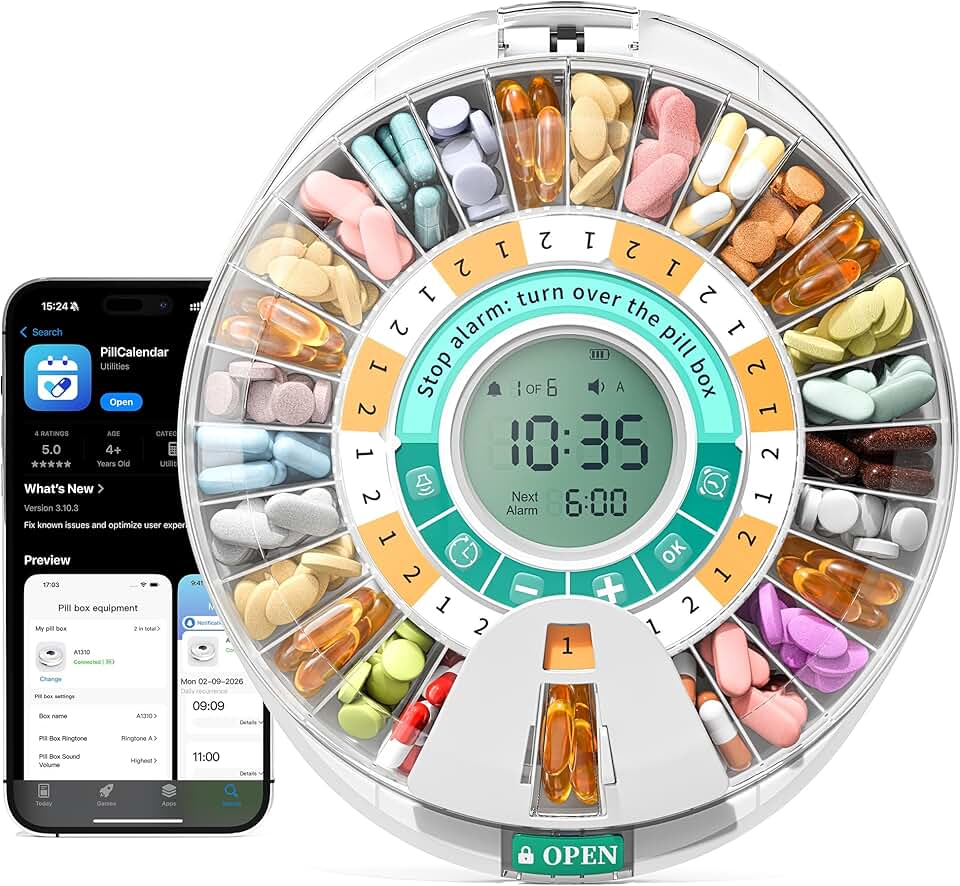

As an Amazon Associate, we may earn from qualifying purchases.
Costs that change the math
Buying a voice assistant is the easy part. The real cost of aging in place often hides in the subscriptions, replacements, and compatibility fees that pile up after the first year. A cheap hub can become expensive if it requires monthly cloud fees to function or if its sensors need frequent battery changes.
Consider the difference between a one-time purchase and a service model. Basic smart plugs or simple motion sensors often have no recurring cost. However, advanced medical-grade devices like fall detection systems or remote vital signs monitors frequently require monthly monitoring fees. These subscriptions cover the backend processing and emergency response coordination that make the device useful in a crisis.
Maintenance is another hidden expense. Voice systems need software updates, but physical sensors degrade. Dust accumulation can block infrared beams, and battery levels drop, leading to false alarms or missed detections. If you rely on these devices for safety, you must budget time and money for regular checks. Ignoring them turns a safety net into a false sense of security.
When a cheap buy stops being cheap is often when the ecosystem fragments. If your voice hub, locks, and cameras all use different apps and require different subscriptions, the management overhead becomes a burden. Stick to platforms like Amazon Alexa, Apple Home, or Google Home that integrate many devices under one roof. This reduces the need for multiple logins and separate support contracts, keeping the long-term cost predictable and manageable.
No comments yet. Be the first to share your thoughts!